Every RSVP, for every function, in one place
Yes or no and a headcount for each event, recorded the moment guests reply.
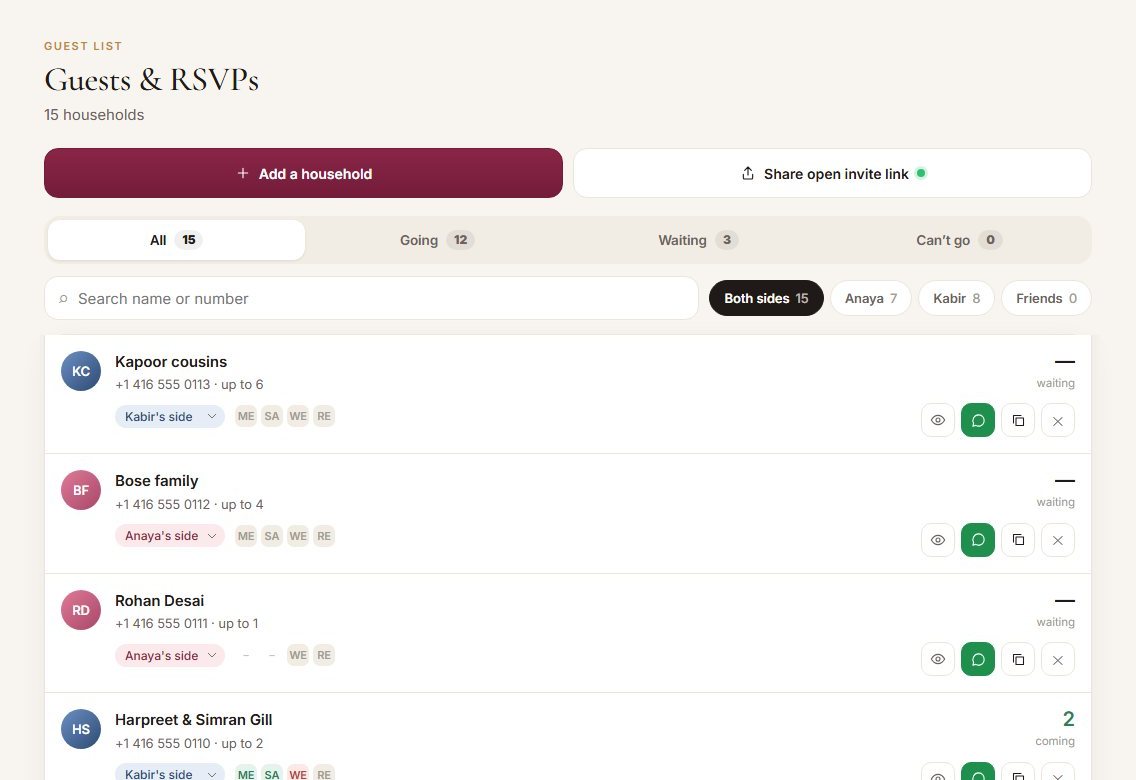
Indian weddings aren’t one event. Mandap asks each household about each function separately, so you know exactly who is coming to the mehndi, who is coming to the reception, and how many people are in each party.
What it does
- Keeps one row per household (a family, a couple or one person).
- Records yes or no for each function the household is invited to.
- Records how many people are coming to each function, up to the number you allowed.
- Records how many of them are vegetarian, for the caterer.
- Saves notes like allergies or blessings that guests type in.
- Lets guests change their answer any time from their own link.
What it records
Every field you’ll see, and what it means.
How it works
- 1Add guests or share one link
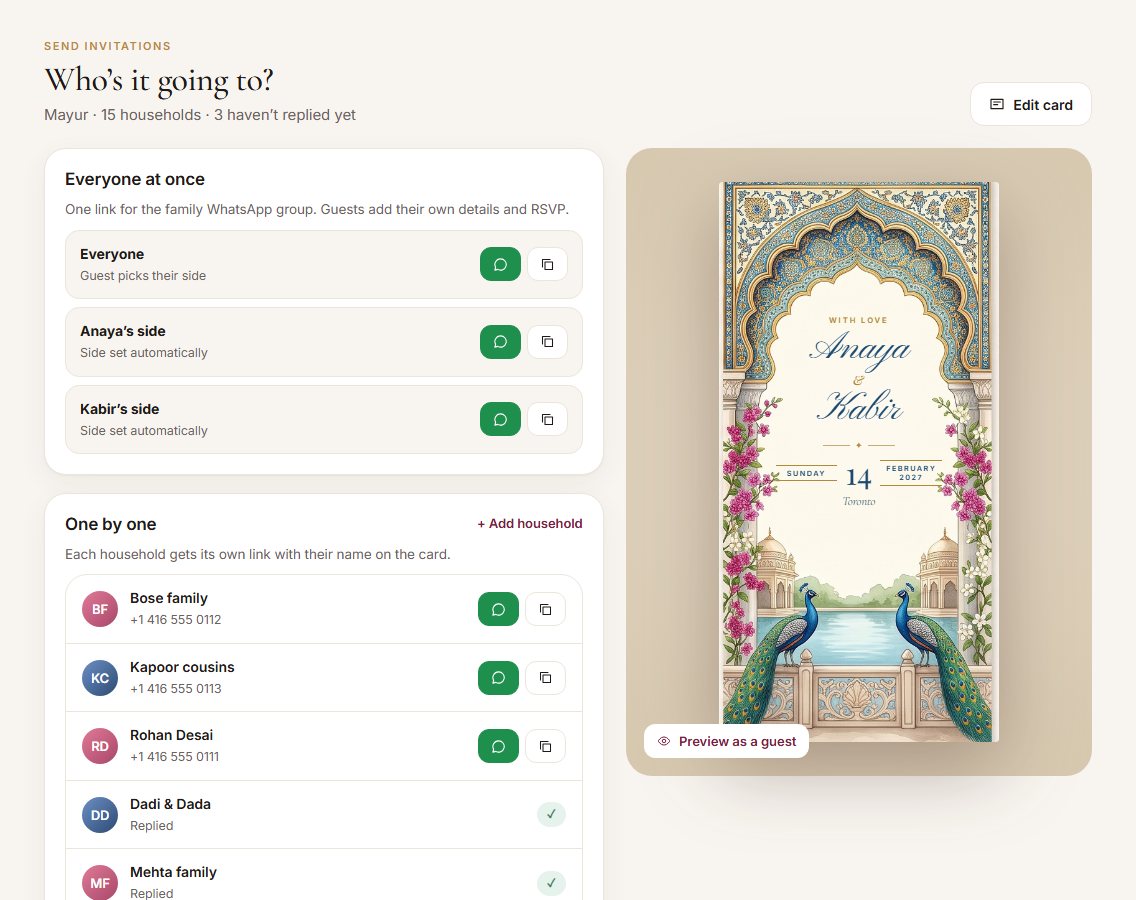
Type households in yourself, or share your open link and let guests fill in their own details.
- 2Guests open their invitation
They see your card, then the RSVP form for each function they’re invited to.
- 3They answer each function
Joyfully attending or regretfully declining, with how many people and how many are vegetarian.
- 4You see it live
The row fills in instantly. Filter by Going, Waiting or Can’t go, by side, or search by name.
How it helps you
See exactly who hasn’t replied, and send them their link again in one tap.
The sangeet and the reception have very different guest lists. Now you know both.
Both families see the same list, so nobody is counting from different spreadsheets.
For example
Questions
What if a guest replies twice?
Their latest answer replaces the old one. Guests who add themselves twice with the same number are merged.
Can guests bring extra people?
Only up to the party size you set for their household.
Can I close RSVPs?
Yes. You can switch the open link off at any time, and choose which functions it covers.
Ready to try it?
Set up your wedding in two minutes. It’s free to start.