Your wedding day, live on your dashboard
A countdown to what’s next, every function on one line, and one tap to call your vendors.
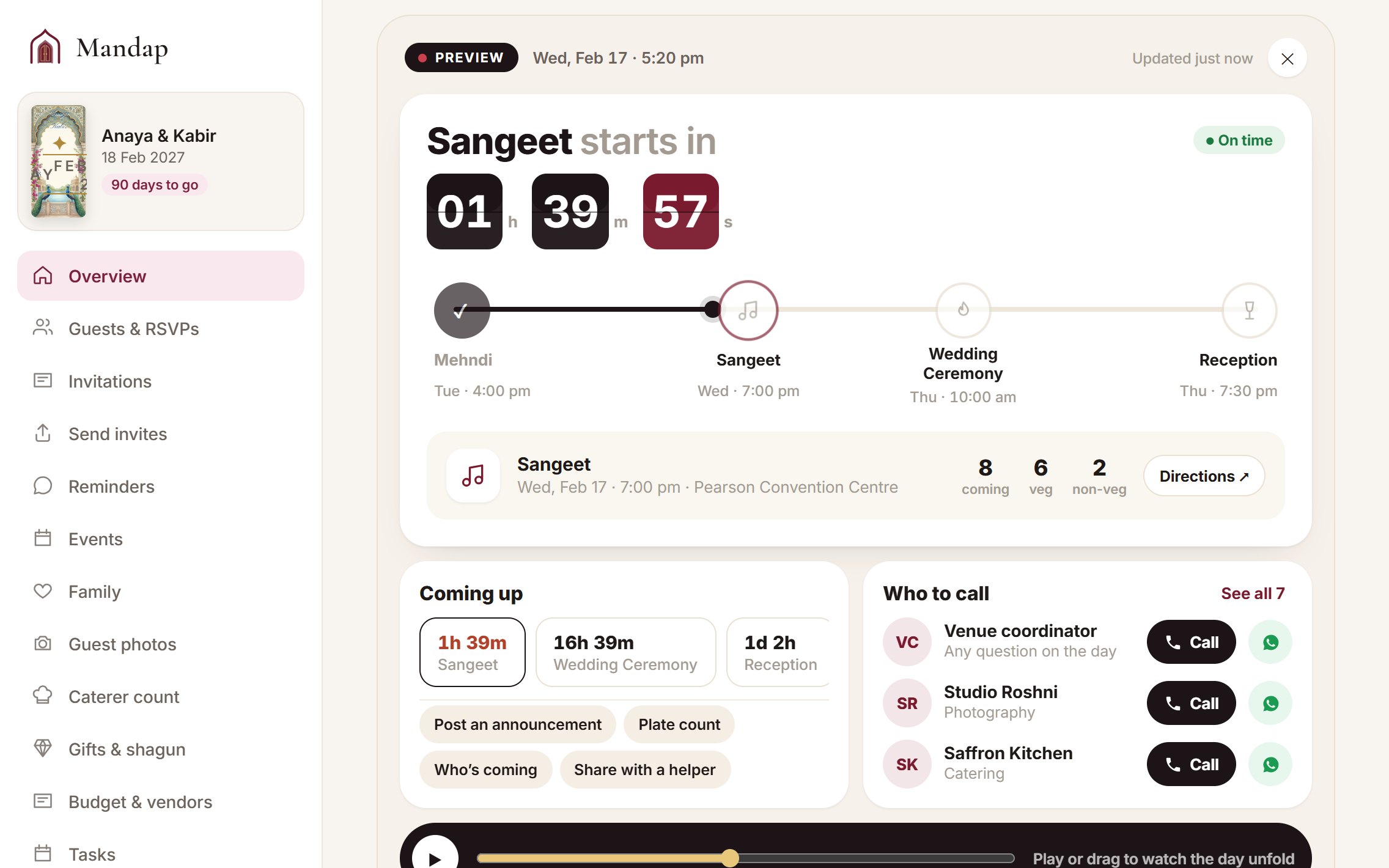
On each function day, your Mandap dashboard turns into a live tracker, like following a delivery but for your wedding. It shows what is happening now, counts down to what is next, shows how many guests and plates to expect, and puts the people who run the day one tap away.
What it does
- Opens by itself on any day you have a function.
- Counts down to the next function, then shows how long is left once it starts.
- Lays every function out on one line, with a marker that moves through the day.
- Shows the venue, guests coming, and veg and non-veg plates for any function you tap.
- Opens directions to the venue in Google Maps.
- Lists the people to call, each with a Call and a WhatsApp button.
- Lets you preview the whole day before the wedding and play it through.
What it records
Every field you’ll see, and what it means.
How it works
- 1Add your functions
Give each function a date, a time and a venue.
- 2Add the numbers
Fill in Who to call in your binder and phone numbers for your vendors.
- 3Try it before the day
Press Try it now on your dashboard and play the day through.
- 4On the day
Open Mandap and it is already live.
How it helps you
Everyone can see what is on and what is next at a glance.
No hunting through contacts when the decorator is late.
Share the live link with a helper so you can enjoy the day.
For example
Questions
Do I have to switch it on?
No. It opens by itself on any day you have a function. You can preview it any time.
Where do the phone numbers come from?
From Who to call in your binder, and from the phone numbers you add to vendors in Budget & vendors.
Which plan includes it?
Signature and above.
Ready to try it?
Set up your wedding in two minutes. It’s free to start.